Terminal music player
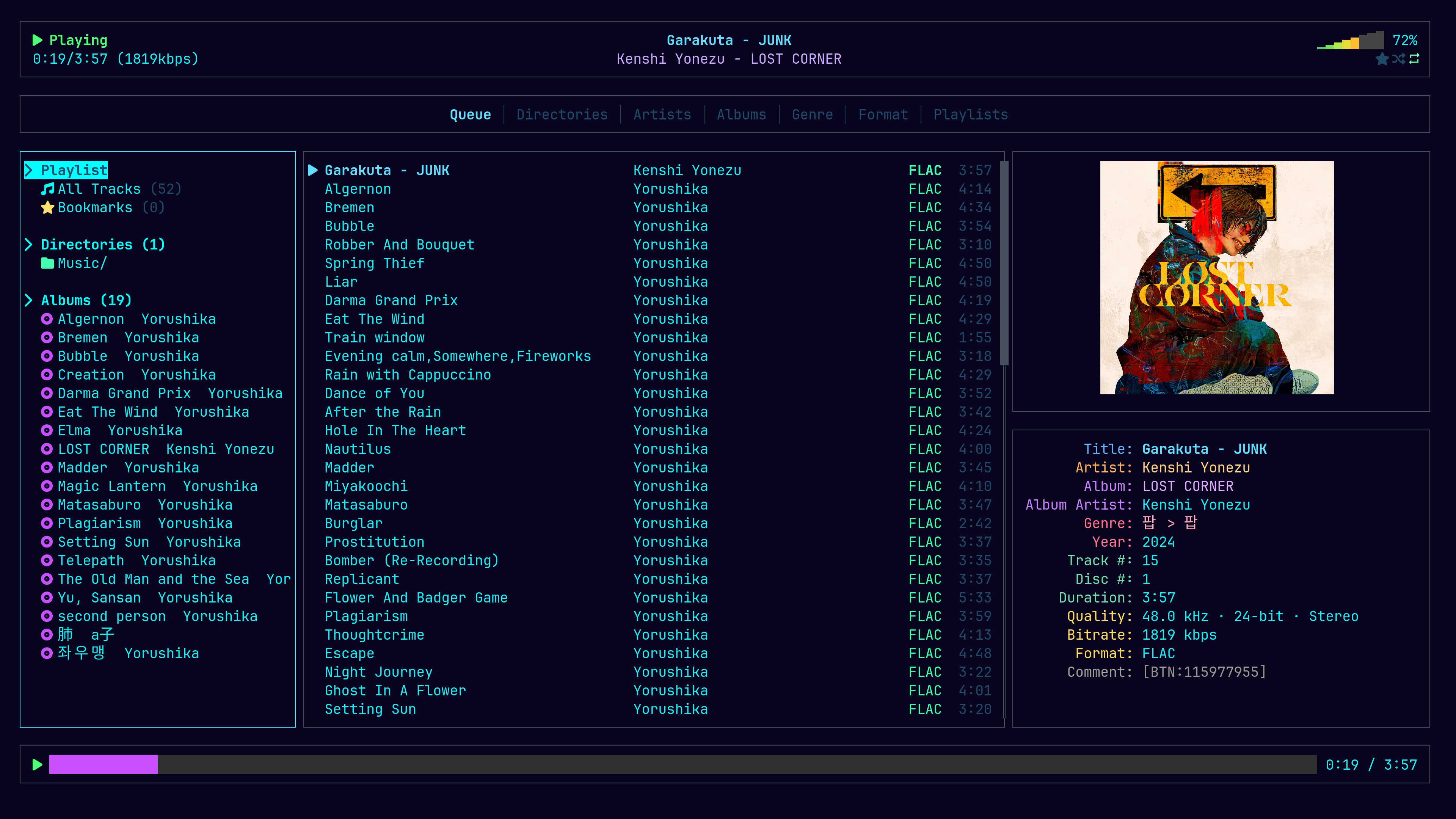
No MPD. No daemon. No config file. One binary that reads your tags, draws your album art in the terminal, and keeps your playlists and layout between sessions.
yay -S ommp
cargo install ommp
The tab strip across the top is the whole navigation model. Each one is a different question about the same files.
Everything queues by default. Add an album without losing what is playing, drop a track with d, clear it with c.
Browse the folders you actually organised, not a database's idea of them.
Grouped by the track artist, exactly as the file is tagged. Untagged files land under one heading instead of vanishing.
Paired with the album artist where it is tagged, the track artist where it is not — so two records called Greatest Hits stay two records.
Whatever your tags say. ommp reads them, it does not invent them.
FLAC, MP3, M4A, OGG, WAV, Opus, AAC, WMA — with a count beside each.
Create, rename, star a track with b. Saved between sessions, and entries survive a drive that was not mounted.
Measured on this machine, not estimated. A library that takes a moment to open is a library you stop opening.
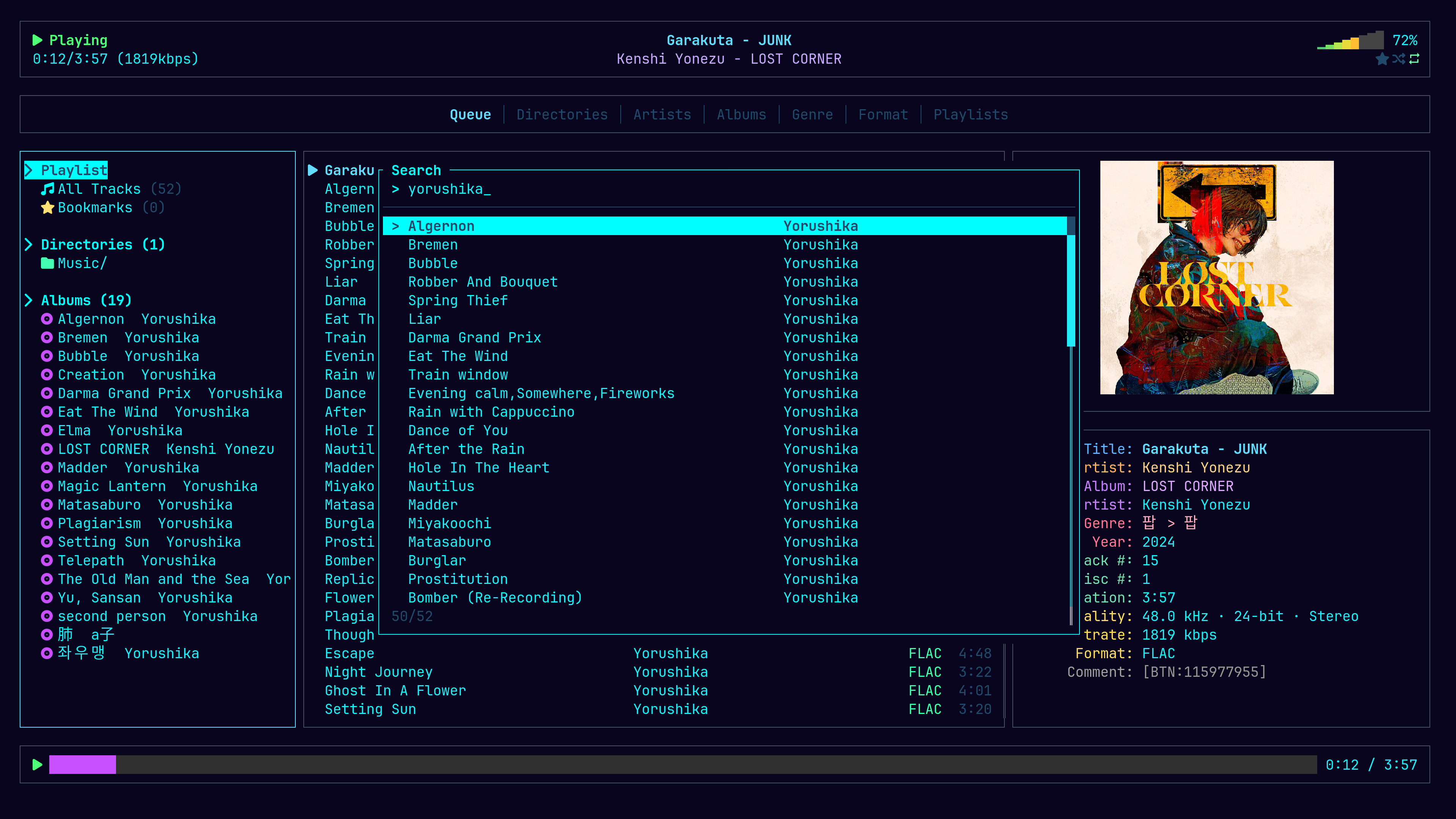
Results narrow on every keystroke. Narrow further with a field, or by format.
artist:yorushikaalbum:elmagenre:rock*.flac
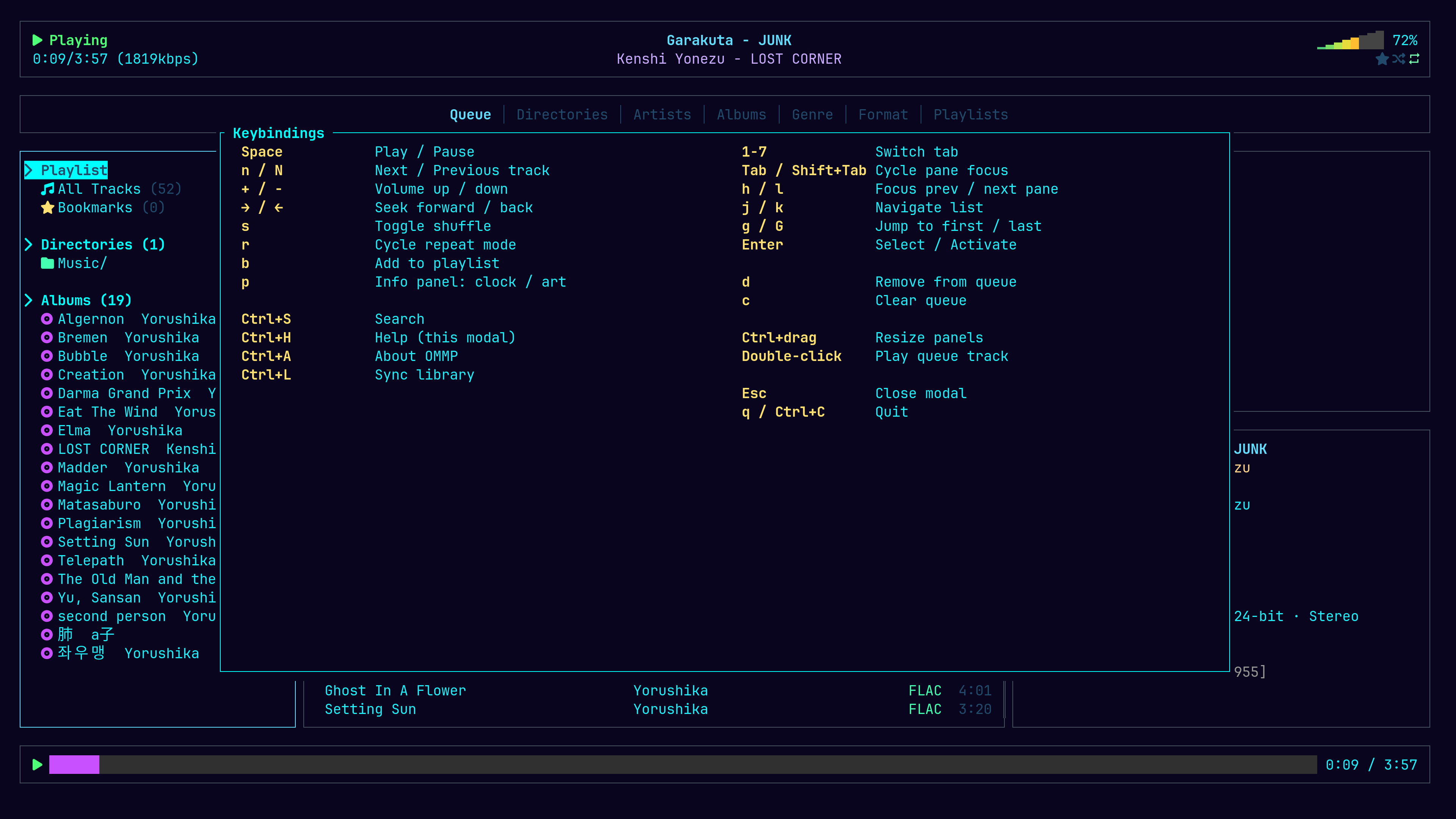
Vim motions for the lists, media keys for the music. The mouse works too — click a tab, double-click a track, Ctrl-drag a border to resize.
The interface is built from Nerd Font icons. Without one they render as empty boxes. Install JetBrainsMono Nerd Font or similar and set it as your terminal font.
Cover art is read out of the audio file itself and drawn as a real image where the terminal supports it. ommp detects which protocol is available at startup — there is nothing to configure.
| Kitty graphics | Ghostty, Kitty, WezTerm, Konsole |
|---|---|
| Sixel | foot, WezTerm, xterm, Contour |
| iTerm2 | WezTerm, Konsole |
Anything else falls back to block characters, which still shows the artwork — just coarser. GPU acceleration is unrelated: Alacritty is accelerated and supports none of these; xterm is not and supports Sixel.
yay -S ommp
cargo install ommp
git clone https://github.com/sqzer-x/ommp
Then put some music in ~/Music and run ommp.